Cyfin — Why Are User IDs Missing From My Reports?
Applies to: Cyfin · When reports show no usernames (blank or IP addresses instead of people).
Cyfin reports on whatever is contained in the log or syslog data it ingests from your firewall or proxy. User IDs are what let Cyfin attribute web activity to specific people. If your reports show activity by IP address or blank instead of by username, the User ID is missing from the data Cyfin is receiving — and it’s almost always one of the two causes below.
(This is different from activity that appears under Ungrouped IDs — that means IDs are being captured but haven’t been organized into your Groups and IDs tree. See the Terms Glossary for Ungrouped IDs. This article is about IDs not being captured at all.)
Cause 1 — Your firewall or proxy isn’t capturing the User ID
This is the most common cause, and the key fact to understand:
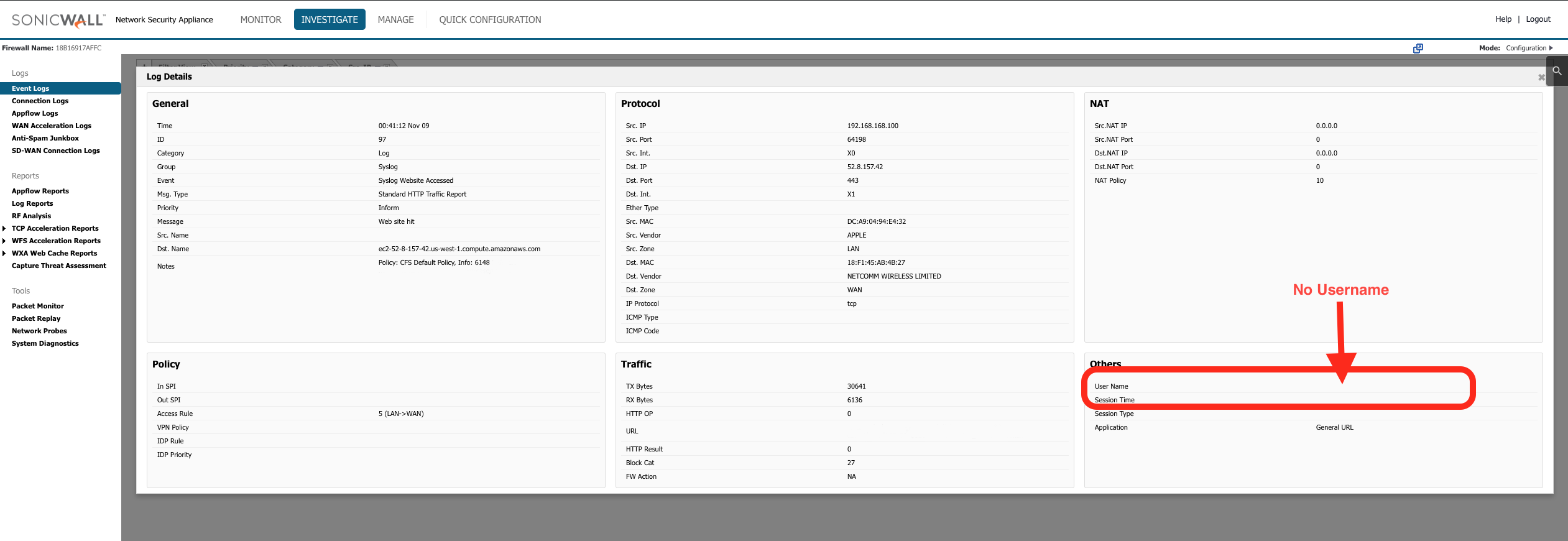
The User ID is not a default field in any firewall or proxy log. A firewall or proxy only records who made a request if authentication is enabled on that device. By default, most devices log the connection (IP, URL, time, bytes) but not the authenticated username. If authentication isn’t turned on, there is simply no User ID in the log for Cyfin to report on — this is a configuration on the device, not something Cyfin can add after the fact.
The fix: enable user authentication on the firewall or proxy that generates your logs, so the authenticated User ID is written into the log/syslog. Once the device is capturing usernames, they flow into Cyfin and appear in reports.
How to do it depends on your device. Every firewall and proxy vendor has its own process and terminology for this — it may be called user authentication, user identification, User-ID, identity awareness, or similar. Consult your device’s documentation (or its vendor support) for how to enable authenticated user logging. Common examples include Palo Alto (User-ID), SonicWall, Fortinet (FSSO), and Check Point (Identity Awareness), among others.
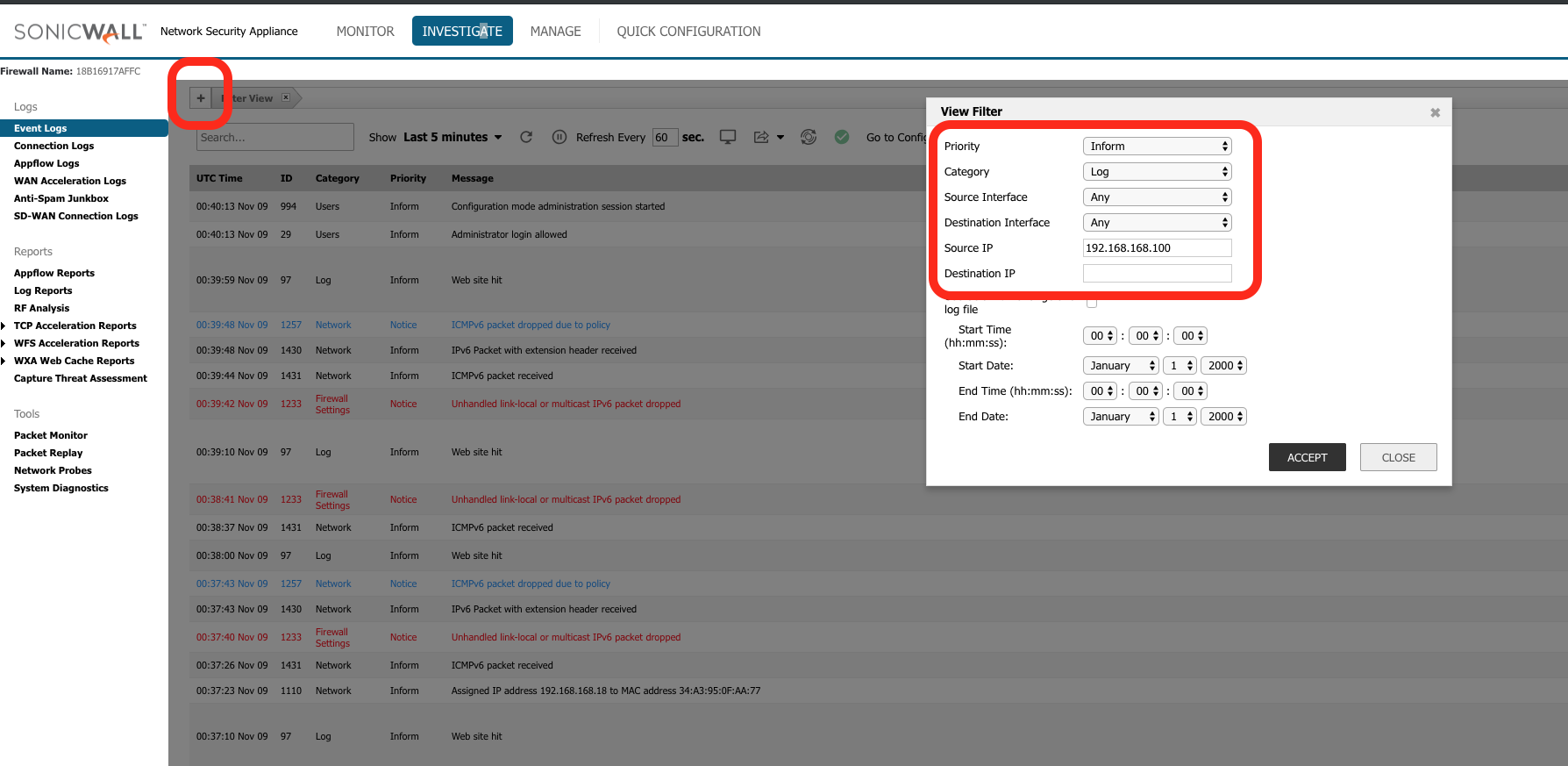
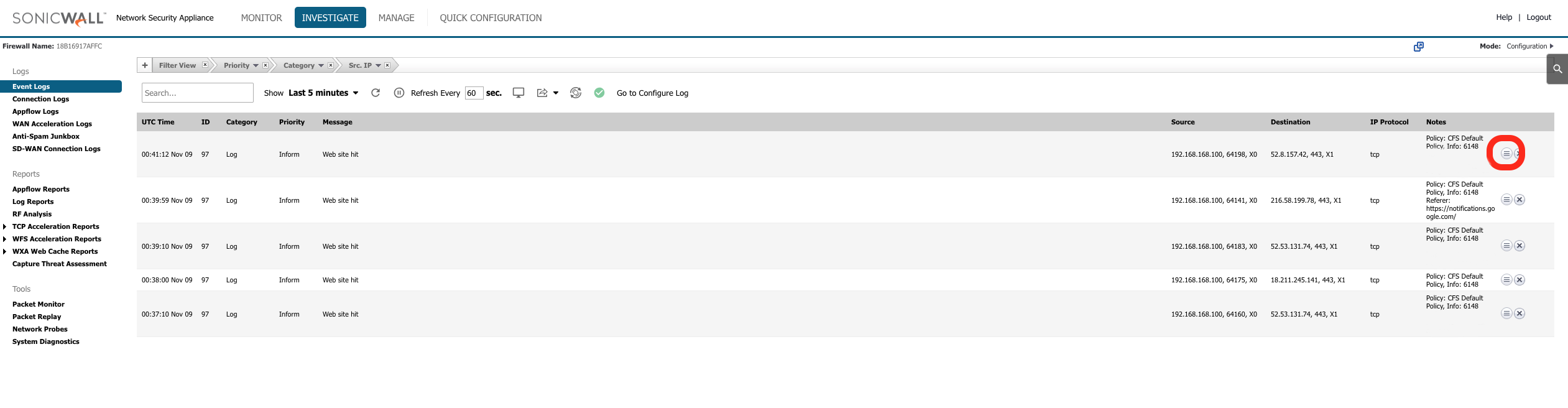
How to confirm it’s a device issue: look at the raw log or syslog Cyfin is ingesting. If there’s no populated username field in the records themselves, the gap is on the device side — enabling authentication there is the fix.
Cause 2 — Authentication is enabled and IDs are in the log, but not in reports
If your firewall/proxy authentication is already on and you can see usernames in the raw log/syslog, but those usernames still aren’t showing up in Cyfin reports, the issue is on the parsing side: the log/syslog format or fields may have changed, so Cyfin’s parser no longer maps the User ID field correctly.
The fix: contact Wavecrest Technical Support (support@wavecrest.net). Let them know authentication is enabled and usernames are present in the raw log but not appearing in reports. The log fields may have changed and Cyfin’s parser / data configuration may need to be updated to read the User ID from the current log format.
Quick summary
- Reports show IPs/blank, and the raw log has no username → enable authentication on your firewall/proxy (Cause 1). The User ID is never a default log field.
- Reports show IPs/blank, but the raw log does have usernames → contact Wavecrest Support; the parser may need updating (Cause 2).
- Reports show usernames but they’re all under Ungrouped IDs → that’s a grouping issue, not a capture issue; build or sync your Groups and IDs tree (see the Terms Glossary).